Everything you need to ship from Canada
Rate shopping, labels, fulfillment sync, warehouse tools and cross-border shipping in one platform.
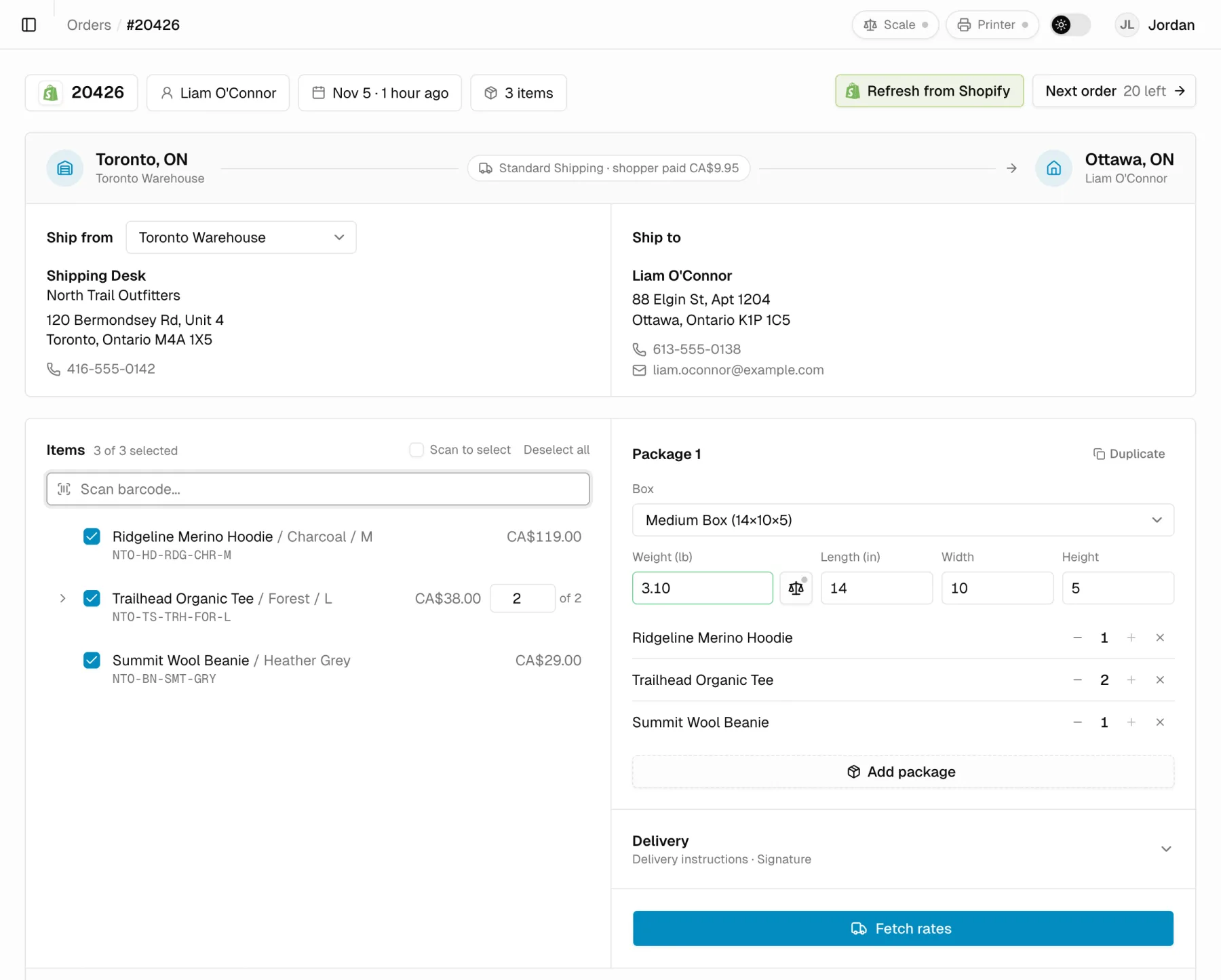
OneShip covers the whole shipping workflow for a Canadian online store: orders come in from every sales channel, every carrier is priced on every order at negotiated rates, labels print to thermal or desktop printers, and tracking goes back to the store and to a branded tracking page.
A faster day at the packing bench
Built by merchants who pack their own orders, so the common path takes the fewest clicks.
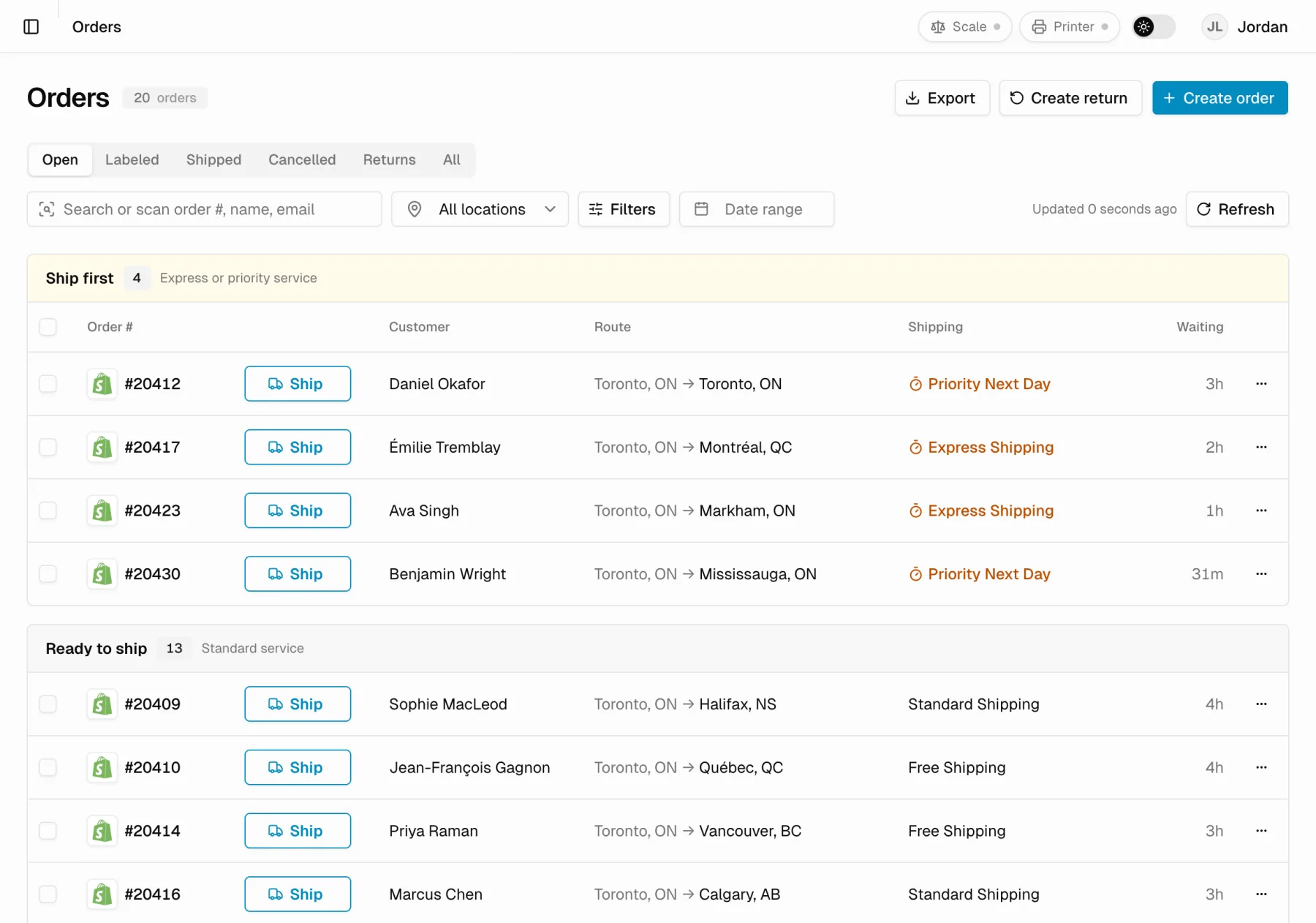
An urgency queue, not a list
Open orders sort into Ship first (express and priority), Ready to ship, and Needs attention, each with a Ship button beside the order.
Problems flagged before they cost you
Orders with an incomplete address, a missing phone number, a partly shipped order or an expiring fulfillment window land in Needs attention instead of failing at the label.
One box to search and scan
Type to filter, or scan an order barcode to open its label dialog straight away and clear the box for the next scan.
A today board
What to ship first, what is next up, labels waiting per carrier, when each manifest closes and which pickups are booked.
Next order, no going back
After a label prints, Next order moves straight to the next open order and shows how many are left.
Prints the moment it's bought
The label goes straight to your thermal printer as soon as it is created, with no extra click.
Every carrier quoted at once
OneShip asks every carrier on your account at the same time, so the full rate comparison arrives together.
Pages ready before you click
Hovering a link loads the next screen in the background, and list pages fetch the next page ahead of time.
Updates without losing work
When a new version is out, OneShip offers a refresh instead of reloading on its own, so a half-filled form is never lost.
Rate shopping and labels
Every carrier on your account is priced on every order, at OneShip's negotiated rates, before you buy.
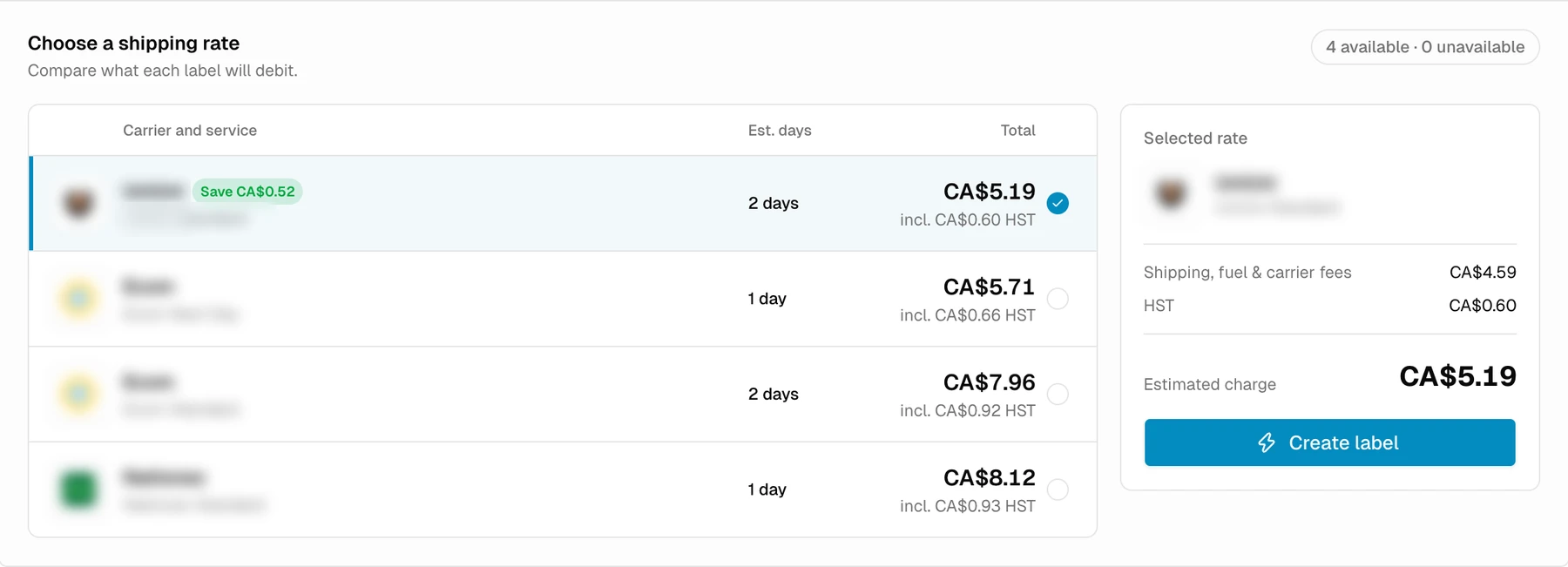
Live rate comparison
National carriers, Canadian regional couriers and same-day couriers side by side, with price and delivery time. When two prices tie, the faster service is listed first.
Thermal and PDF labels
Print 4x6 labels straight to a Zebra thermal printer through Browser Print, or as PDF. A label-only PDF is available too.
Box presets and smart box suggestion
Save your box sizes once. OneShip suggests a box from the items' sizes and warns when a box doesn't match what those items usually ship in.
Auto weights and USB scales
Packing history preselects the box and weight, and a USB scale reads straight into the browser.
Bulk labels from a spreadsheet
Upload a CSV or Excel file of orders or addresses, rate-shop every row across carriers, then buy and print the labels in one run.
Manual orders
Create, duplicate and edit orders that didn't come from a store, including customs details for cross-border shipments.
Sales channels
Orders from every channel land in one queue, and tracking goes back to wherever the order came from.
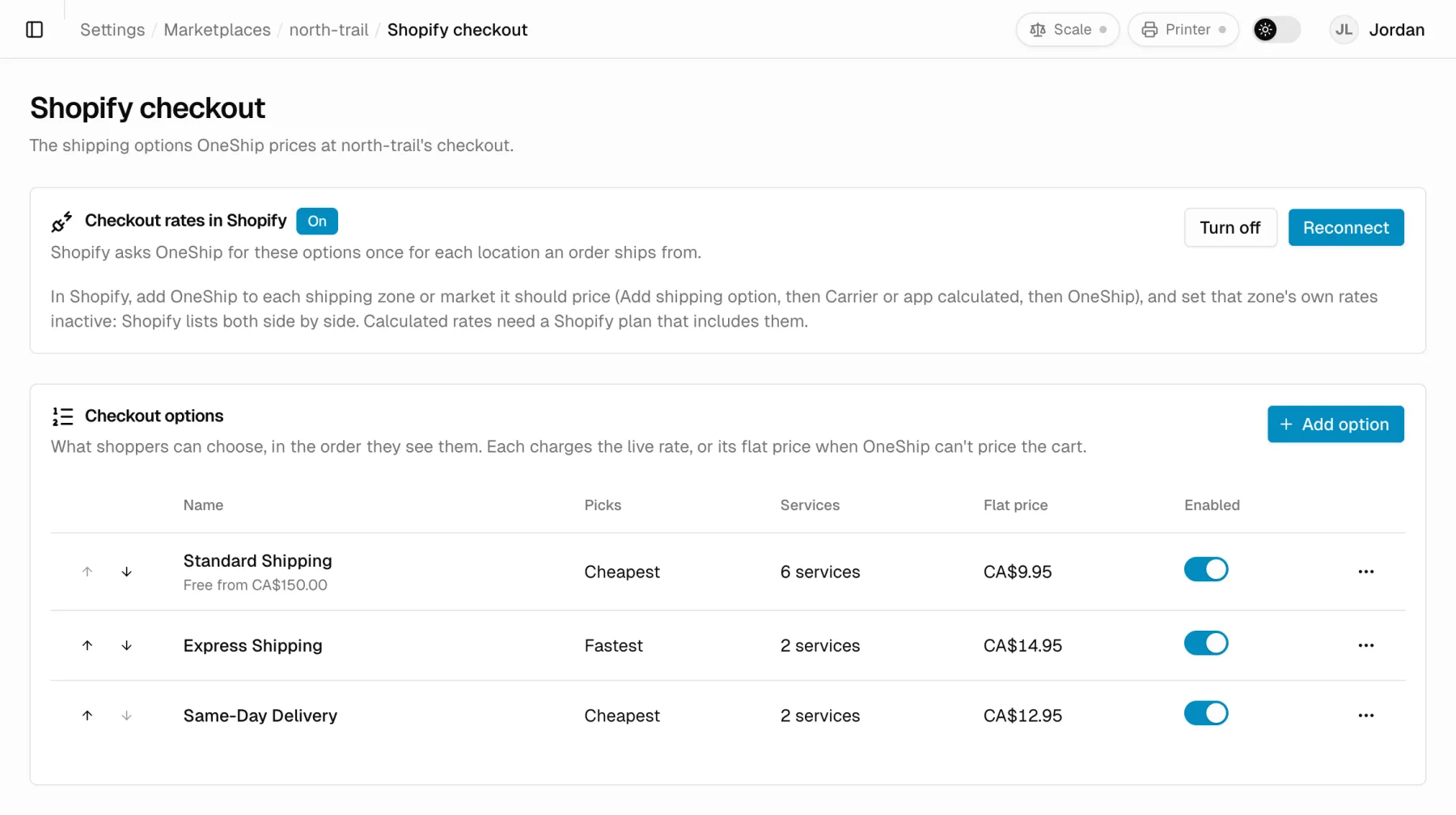
Shopify
Order, product and stock sync; live rates at checkout; fulfillment and tracking pushed back to Shopify.
WooCommerce
A checkout rates plugin with arrival dates and free-shipping rules, plus order sync and tracking back to the order.
BigCommerce and Lightspeed E-Series
Orders sync in as they are placed, with tracking sent back.
Business Central
OneShip works as a freight provider inside Dynamic Ship for Microsoft Dynamics 365 Business Central.
REST API
Quotes, labels, voids and tracking for any system, authenticated with API tokens you manage.
Fulfillment and tracking
Customers get tracking without anyone copying numbers between systems.
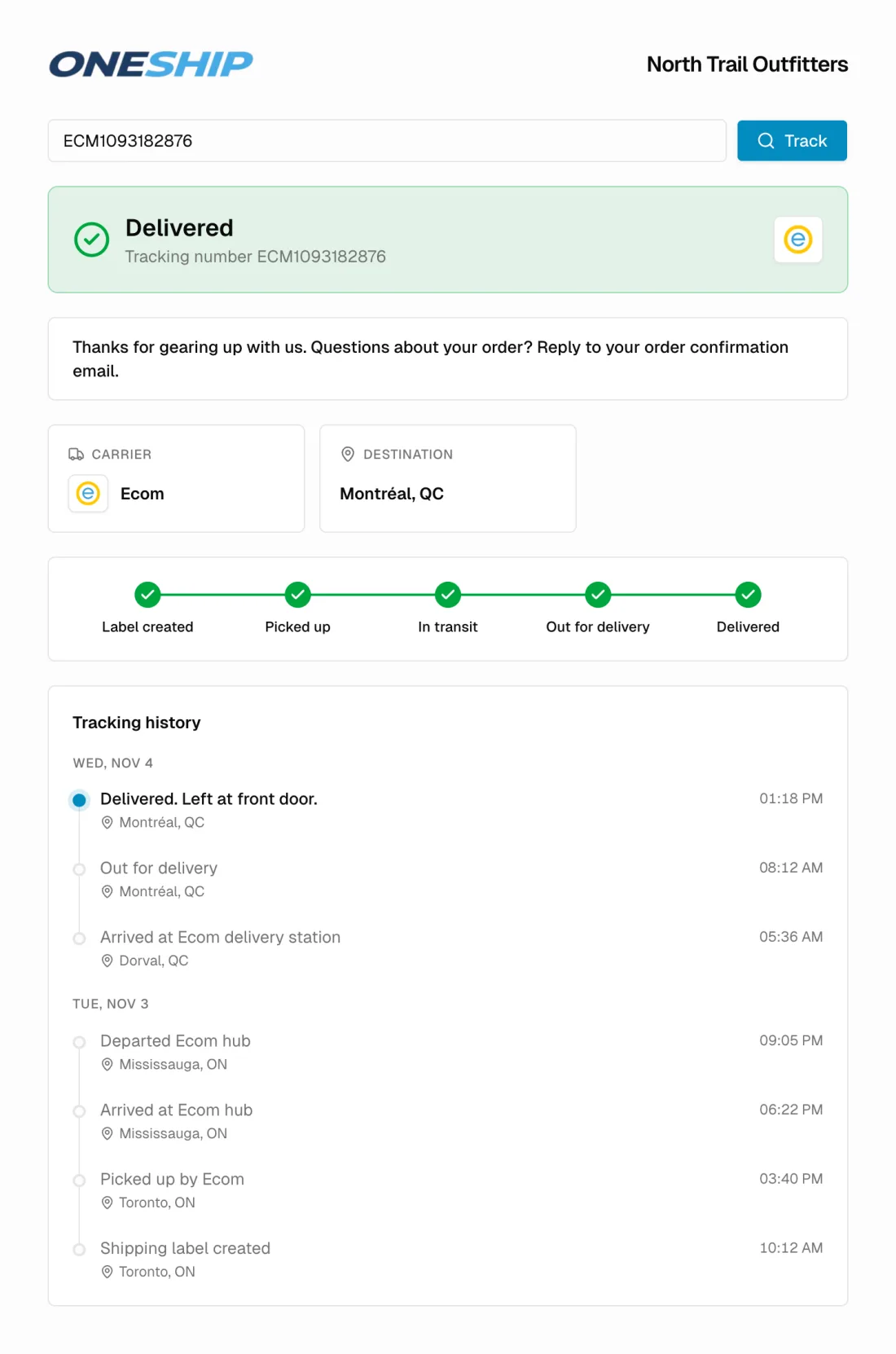
Automatic fulfillment sync
Mark orders fulfilled with their tracking number when the label prints, when the day's pickup closes, or on a daily schedule.
Branded tracking page
A step-by-step delivery journey for every parcel, including multi-parcel orders, with your logo on request.
Tracking-only mode
If your warehouse system already fulfills Shopify orders, OneShip can update tracking alone.
Warehouse operations
Built by people who pack their own orders every day.
Scan to pack
Scan each item against the order before the label prints, so the wrong item doesn't ship.
Multiple locations
Each warehouse or store has its own sender address and carriers, and shippers only see the locations they work from.
Smart ship-from routing
For multi-store Shopify merchants, route or split each order to the location that ships it for less, with a savings report.
Pick lists, packing slips and bins
Branded pick lists and packing slips, sorted by warehouse bin for a faster pick route.
Pickups and manifests
Book carrier pickups for the day and window you choose, and close each day's manifest.
Returns
Create return labels against the original shipment, with a rate preview.
Cross-border and international
Ship to the United States and overseas without filling in customs forms by hand.
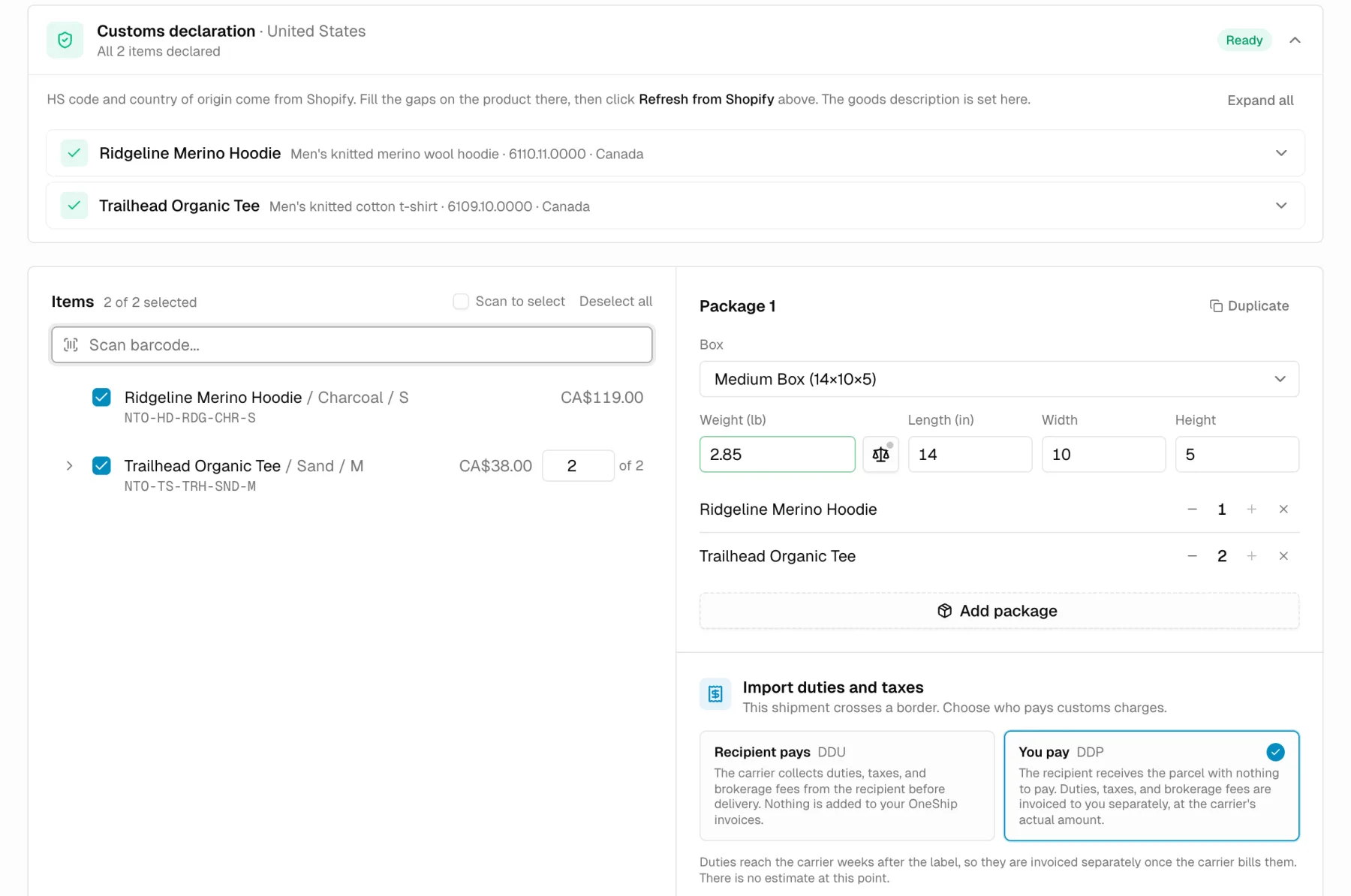
Customs declarations
HS codes and country of origin come from Shopify or BigCommerce, with USMCA claims and commercial invoices produced with the label.
Duties choice
Decide per shipment whether you pay duties (DDP) or the recipient does (DDU), on the carriers that support it. Available on request.
Import charge estimates
See estimated duties and taxes next to cross-border rates before you choose a service. Available on request.
Billing and reporting
Pay for labels, not for software.
Pay per label
No subscription. Each label is charged at the price you saw before you bought it, on one invoice per billing cycle.
Receipts, invoices and credits
A receipt for every shipment, a CRA-compliant invoice each cycle, and an automatic credit when a label is voided.
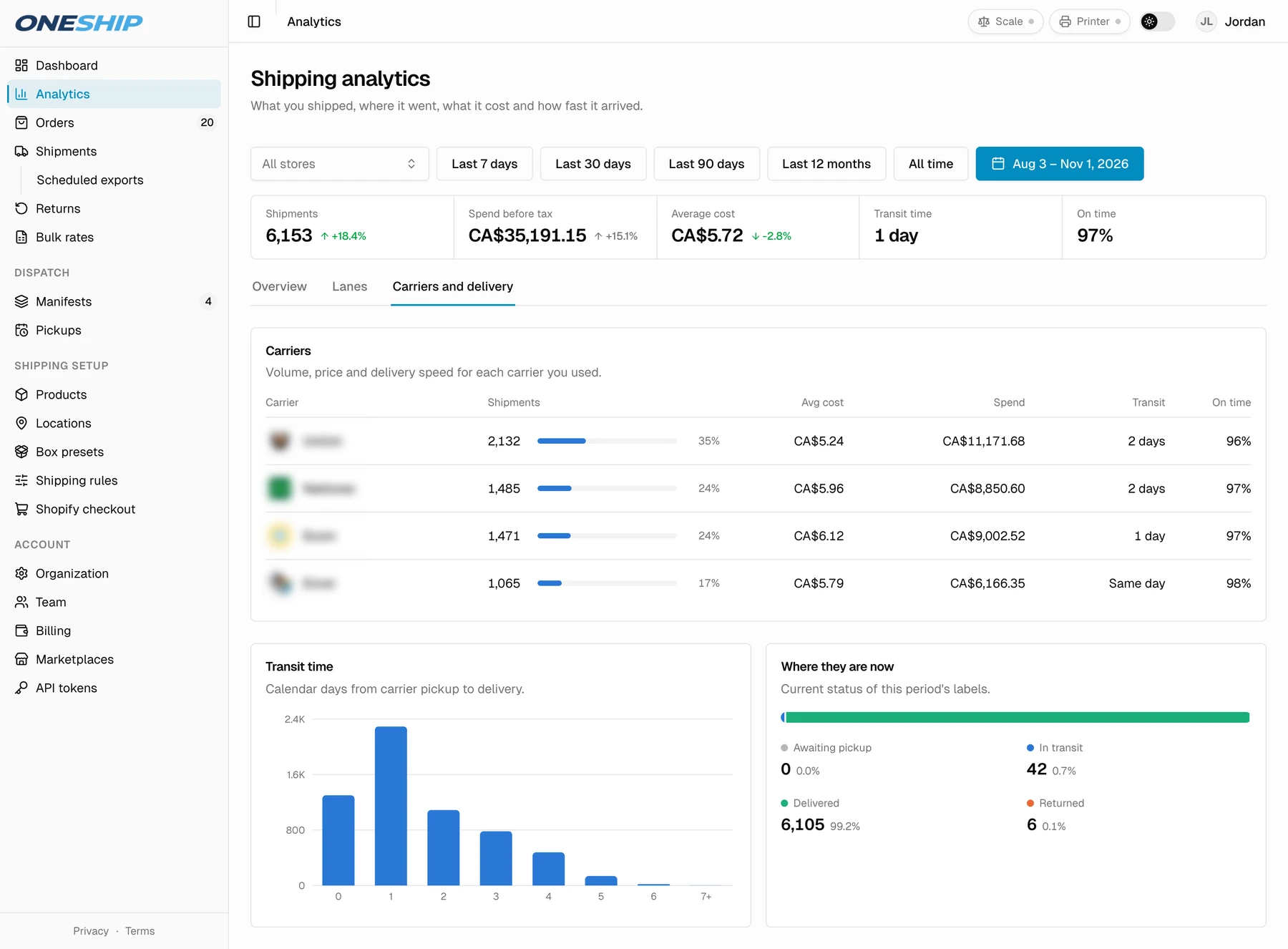
Shipping analytics
Spend, cost per shipment, carrier mix, transit days and your busiest lanes, filterable by store.
Exports and scheduled reports
Export orders, shipments and invoices to Excel, or have a shipments report emailed daily, weekly or monthly.
Team and security
Give each person the access their job needs.
Roles and permissions
Owner, admin, manager and shipper roles, each with its own permissions.
Two-factor sign-in
Authenticator-app two-factor authentication for every user.
API tokens
Create and revoke API tokens for your own integrations.
Last reviewed November 7, 2026
Ship at better rates,
starting with your next order.
Free to install. No subscription. Our team sets up your carriers and rates for you.