Real shipping prices at checkout, in Canada and across the border
Shoppers see options you name, each with a price from live carrier rates and an arrival date, for domestic and cross-border orders.
OneShip powers the shipping options at a Shopify or WooCommerce checkout. Each option the merchant names, such as Standard, Express or Same day, is priced from live carrier rates or a flat price, can include the merchant's markup and free-shipping rules, and shows an arrival date. Merchants choose which countries their checkout ships to, so US and international shoppers get real cross-border prices too.
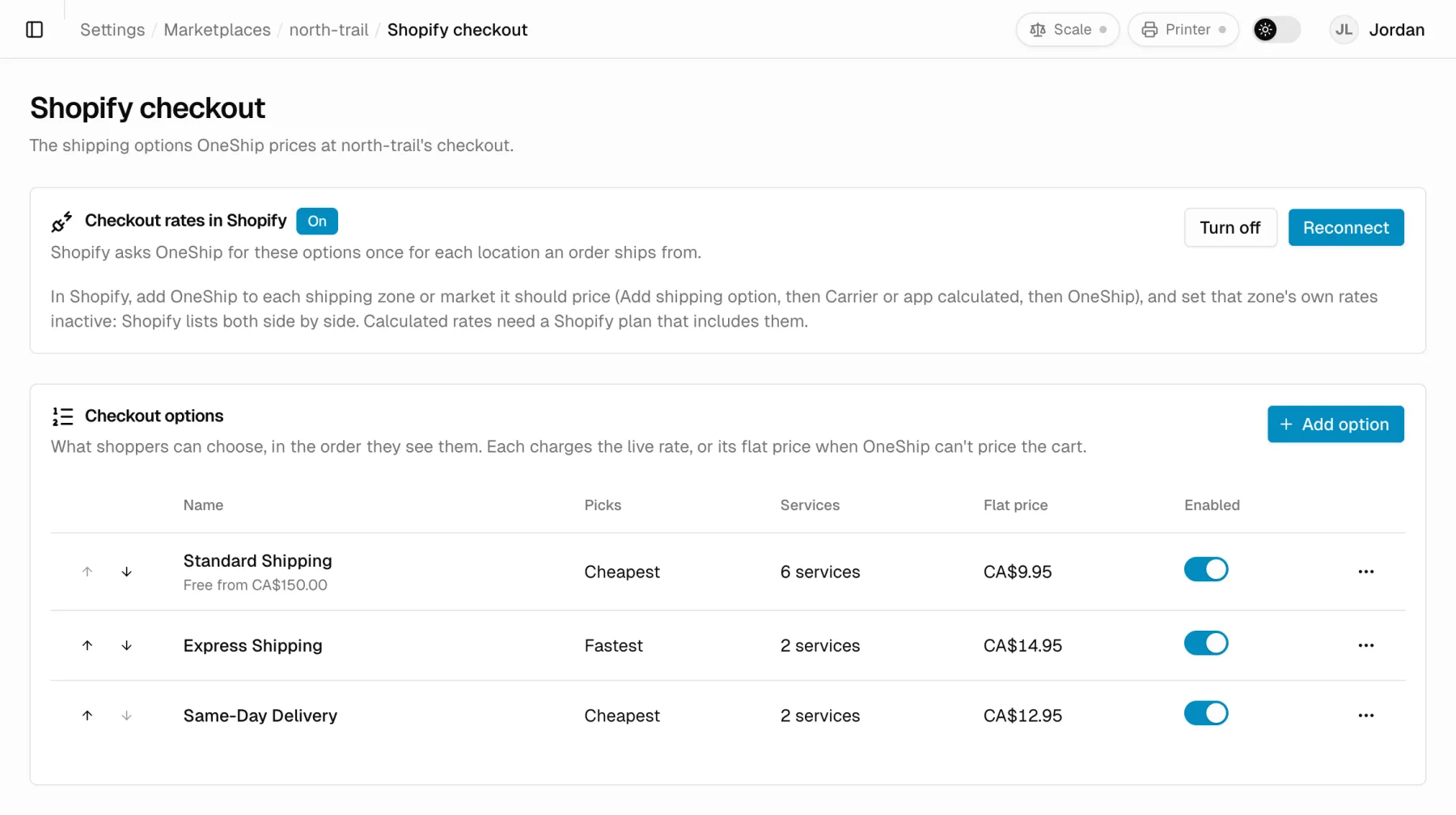
Options you name
Shoppers see Standard, Express or Same day with a price and an arrival date. You decide which carrier ships it when you buy the label.
Live rate or flat price
Price each option from live carrier rates with your own markup and rounding, or set a flat price. A flat fallback keeps checkout working if a carrier is slow.
Cross-border checkout
Choose the countries your checkout ships to and US and international shoppers get real cross-border prices.
Zones and free shipping
Postal-code zones on Shopify, free shipping over an order amount, and on WooCommerce rules by shipping class or coupon.
Arrival dates that hold
Dates account for your cutoff time, handling days, shipping weekdays and closed dates.
Boxes packed for you
Carts are packed into your box sizes, splitting heavy carts across several boxes, so the price matches what you ship.
Set it up once in OneShip
Name your options, price each from live carrier rates or a flat amount, and set free shipping over an order total.
A zone for every market
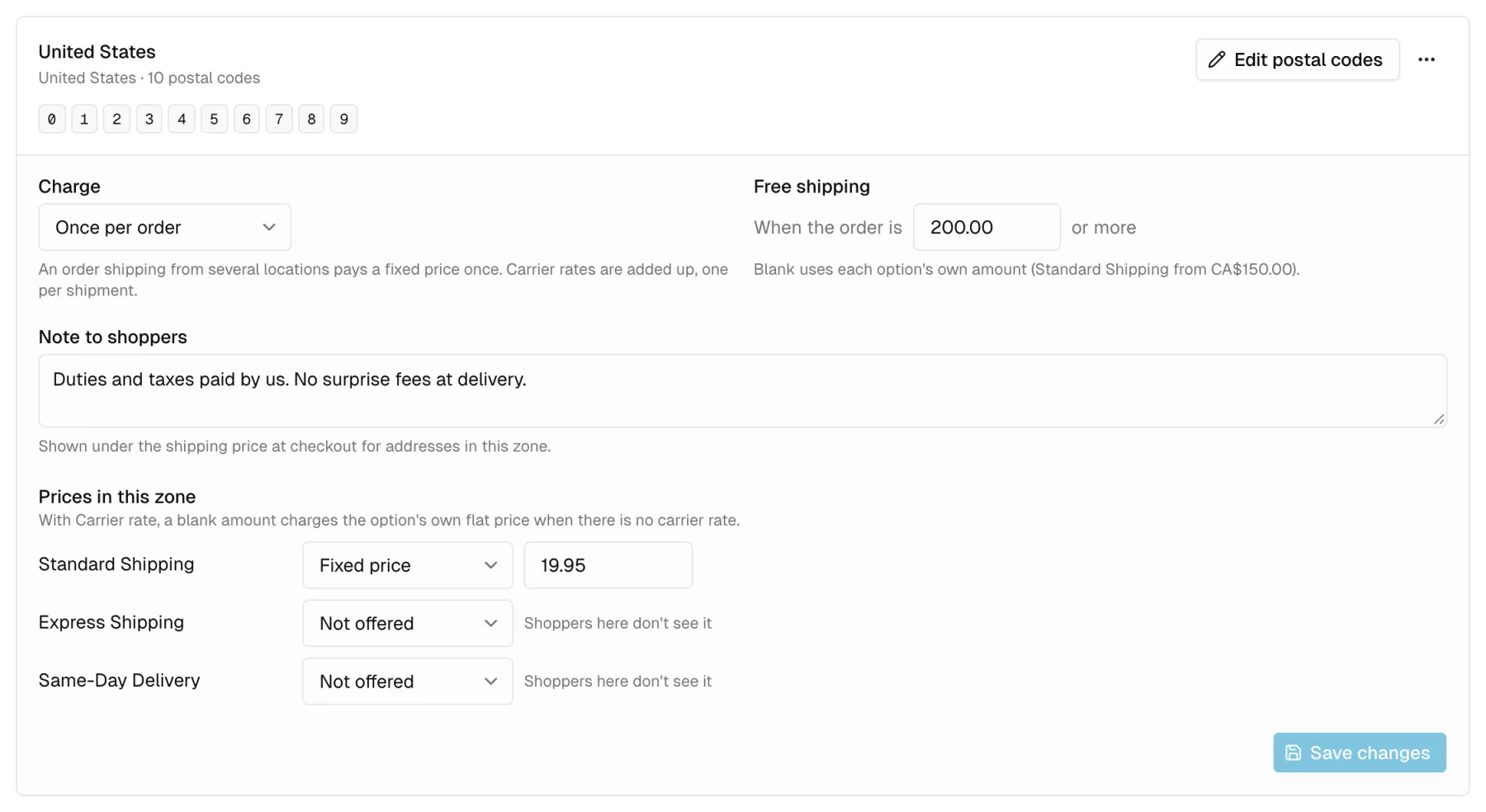
Give US shoppers their own price, free-shipping threshold and a note that duties are paid, and hide options a zone can't use.
Questions
How do I show live carrier rates at checkout in Canada?
Connect your store to OneShip and turn on checkout rates. On Shopify, OneShip supplies the shipping options at checkout (on plans that include calculated rates); on WooCommerce, the OneShip plugin does. Each option is priced from live carrier rates or a flat price, with an arrival date.
Can I show cross-border shipping rates at checkout?
Yes. Choose the countries your checkout ships to, and shoppers in the US and other countries see real cross-border prices, as long as a carrier on your account serves that country.
More shipping services
Last reviewed November 7, 2026
Ship at better rates,
starting with your next order.
Free to install. No subscription. Our team sets up your carriers and rates for you.